Looking for help?
Generate Port Call Reports
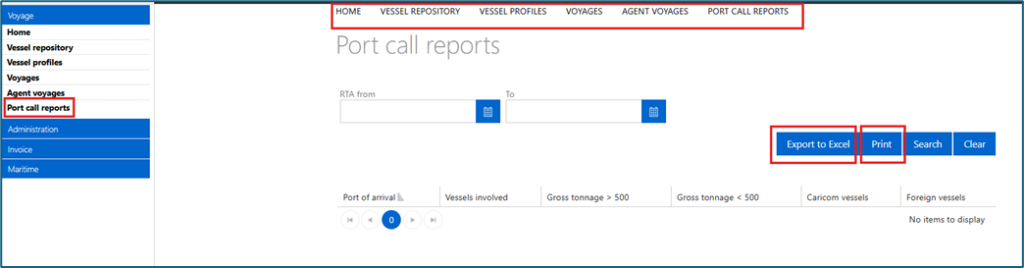
Select the “Port call reports” option in the navigation menu to access summaries reports of the confirmed arrivals in the PCS. From the “Port call reports” screen you can:
- Enter the reporting period, then click “Search” to retrieve the results
- Click “Export to Excel” to export all the search results as an Excel file
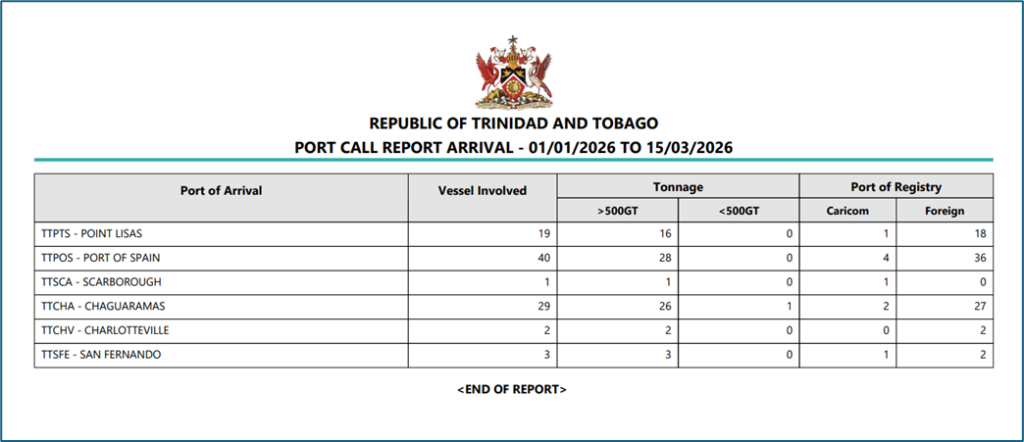
- Click “Print ” to access a PDF version of the report
- Click the column heading to sort the list of voyages displayed. By default, records are displayed in alphabetical order by the port of arrival
- Click the menu items at the top of the screen to navigate to other features in the Voyage module