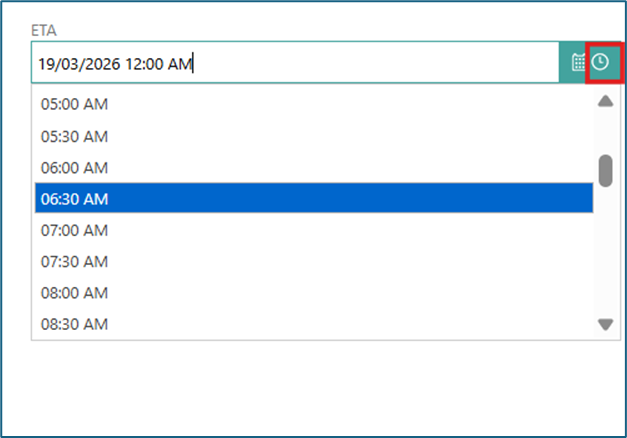
Date and Time Fields
Across the PCS modules, several fields require specific dates and times for vessel and cargo operations.
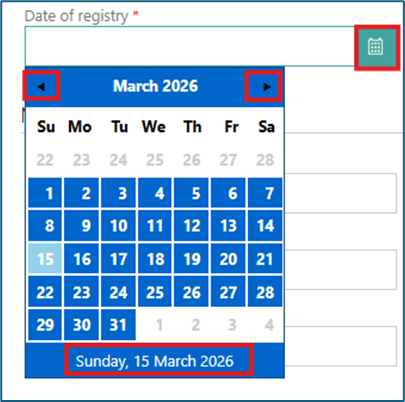
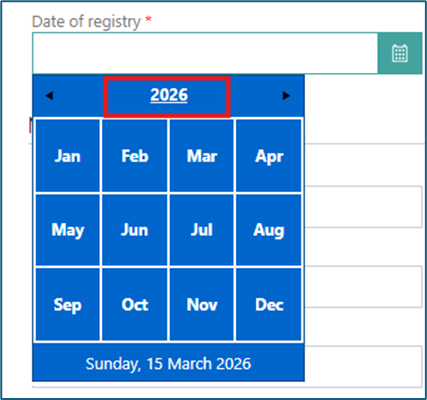
To complete a date field, click the calendar icon to display the date picker. By default, the calendar opens to the current month and year, with the current date highlighted. Use the left and right arrows to navigate between past and future dates. You can also click the calendar heading (Month/Year) to switch the calendar view.
For fields that require a time, upon selecting a date, the time will automatically default to 12:00 AM. You can adjust the time by clicking the clock icon to select from the dropdown, or by typing directly into the field. If you select a time before choosing a date, the system will automatically populate the field with the current date.